
Organize Your Cross Stitch Floss Stash (and Stitch From What You Own)
Track your DMC floss stash online, see which pattern colors you already have, and convert photos using only the floss you own. Free in KnytStudio.
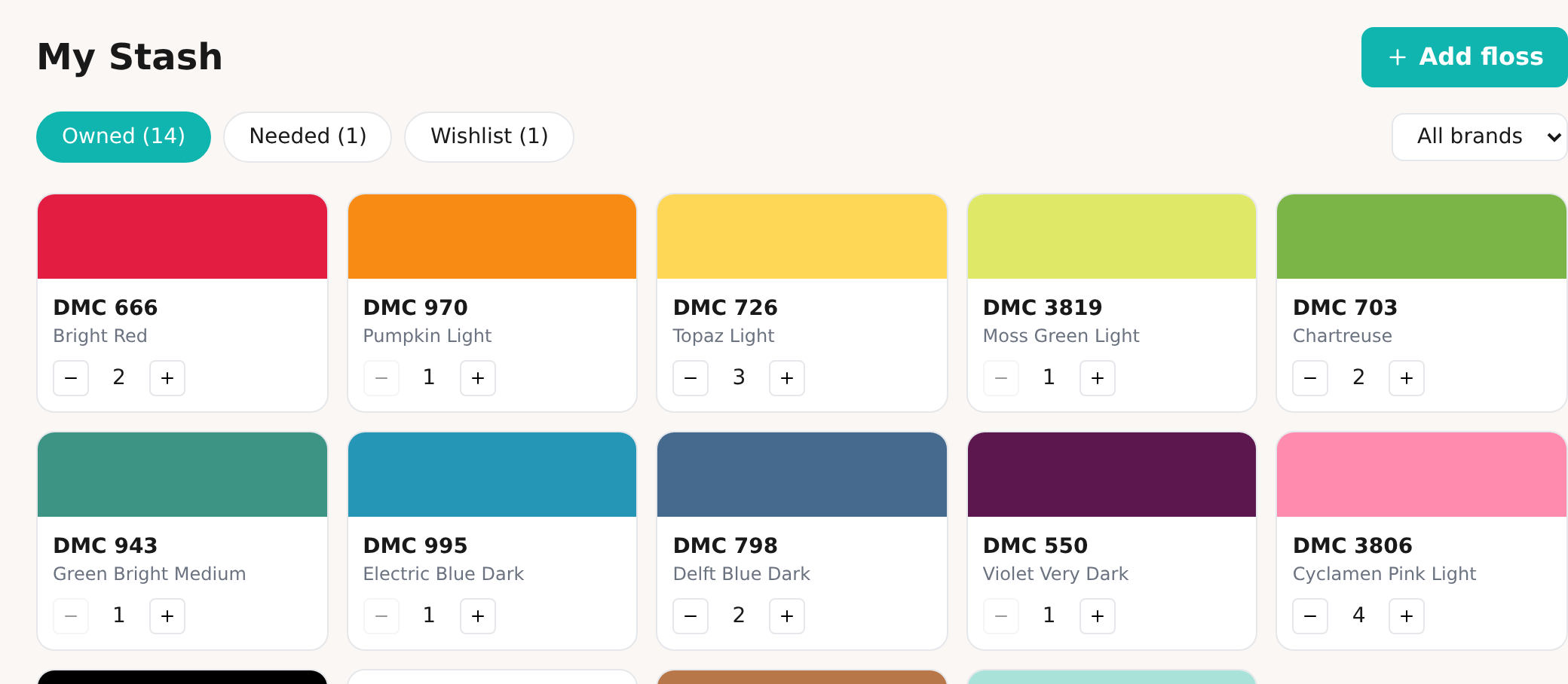
Every stitcher knows the two small heartbreaks: buying a skein of DMC 3806 you already had three of, and falling for a pattern only to realize half its colors are ones you would have to order and wait for. A floss stash you can actually see fixes both. Here is how to put your thread collection online and, better, stitch straight from it.
Why track your floss at all
A stash lives in a box, a binder, a drawer of little bags. That works right up until you are standing in a craft store, or scrolling a new chart at midnight, trying to remember whether you own 703 or 704. So you guess. You buy the duplicate. Or you start a project and stall halfway because three colors never arrive.
Putting your stash somewhere you can check it turns “I think I have that” into “I know I have that.” It is the difference between a collection and an inventory.
Build your stash in a couple of minutes
In KnytStudio, open My Stash from your dashboard. Press Add floss, then search the color chart by DMC number, color name, or just the shade you are looking at. Tap the skeins you own, add them in one go, and set a quantity if you like to track how many of each you have.
Your stash is organized into three simple lists:
- Owned — what is in your box right now.
- Needed — colors a current project calls for that you still have to get.
- Wishlist — the shades you want to pick up next time.
Because it saves to your account, your stash is on your phone in the shop and on your laptop at home, always the same list.
See what you already have, right in a pattern
This is where a digital stash starts earning its keep. Open any cross stitch or needlepoint project and the color palette now shows which threads you own. Colors in your stash get a small marker, and a count at the top tells you the whole story at a glance, for example 12 of 18 owned.
Found a gorgeous chart? One look tells you whether it is a “start tonight” project or a “six skeins to order first” project. No cross-referencing, no guessing.
The good part: convert a photo using only your stash
Turning a photo into a cross stitch pattern usually matches against the full DMC range, which is perfect until it picks a dozen colors you do not own. So we added a switch.
When you convert a photo, turn on Only use floss I own. The color matching is restricted to the threads in your stash, and the whole chart is built from what is already in your box. A pet portrait, a landscape, a favorite photo, rendered entirely in colors you can start stitching with tonight. Nothing to buy, nothing to wait for.
If your stash is smaller than the number of colors you asked for, that is fine. The pattern simply uses as many of your owned shades as it can and tells you how many you have, so there are no surprises.
Start with your stash
Your floss collection is one of the most personal parts of this hobby. Getting it out of the drawer and into something you can search, check, and stitch from makes every future project a little easier and a little cheaper.
Open My Stash in KnytStudio and add your first few skeins. It is free, and the next pattern you fall for will tell you exactly what it costs you to make.
Frequently asked questions
How do I keep track of the cross stitch floss I own?
Add each skein to a digital stash by its brand and code. In KnytStudio, open My Stash, search the color chart by DMC number, name, or color, and add what you own with a quantity. It syncs to your account, so your stash is on every device and you can check it while shopping.
Can I see which pattern colors I already have?
Yes. Once your stash has floss in it, the editor palette marks the colors you own with a small dot and shows an owned count like 12 of 18. You can tell at a glance whether a pattern is feasible with your current threads or how many new colors you would need to buy.
Can I convert a photo using only the floss I own?
Yes. When you turn a photo into a pattern, switch on Only use floss I own and the color matching is restricted to your stash. The chart is built entirely from threads you already have, so there is nothing new to buy before you start stitching.
Does the stash work with brands other than DMC?
You can record floss in DMC, Anchor, Sullivans, JP Coats, or Maxi. Colors are matched by their actual shade, so a skein logged in one brand still lights up the equivalent color in a pattern, whatever brand the chart uses.
Is the floss stash free?
Yes. Tracking your stash, the owned-color badge in the editor, and restricting a conversion to your stash are all free. You only need a free account so your stash saves to the cloud and follows you across devices.