
Workshop
Video tutorials
Short, silent videos with captions. Follow recorded sessions and illustrated editor walkthroughs, with links to written guides for the details.
Turn any photo into a cross stitch pattern
Upload a photo, pick a size and a color look, open the pattern in the editor and preview it as real stitches.
1:15, no sound
Read the photo to pattern guide →Edit patterns and export print-ready PDF charts
Symbol view, drawing changes on the chart, undo, and exporting a PDF with symbols, a legend and a thread shopping list.
1:07, no sound
Read the PDF export guide →Track your stitching progress
Mark stitches as you sew, drag across runs, undo, search a color, jump to the next stitch, switch between Picture and Marks, and read your session summary.
1:31, no sound
Read the progress tracking guide →Backstitch and parking in the tracker
Mark backstitch lines, sweep along a run, park a thread with its needle corner, and jump back to any parked needle.
1:27, no sound
Read about the parking method →Blocks, lock and night mode
Mark a whole 10x10 block in one tap, lock finished stitches against stray taps, dim the chart for evening stitching, and end with the session summary.
1:23, no sound
Read the progress tracking guide →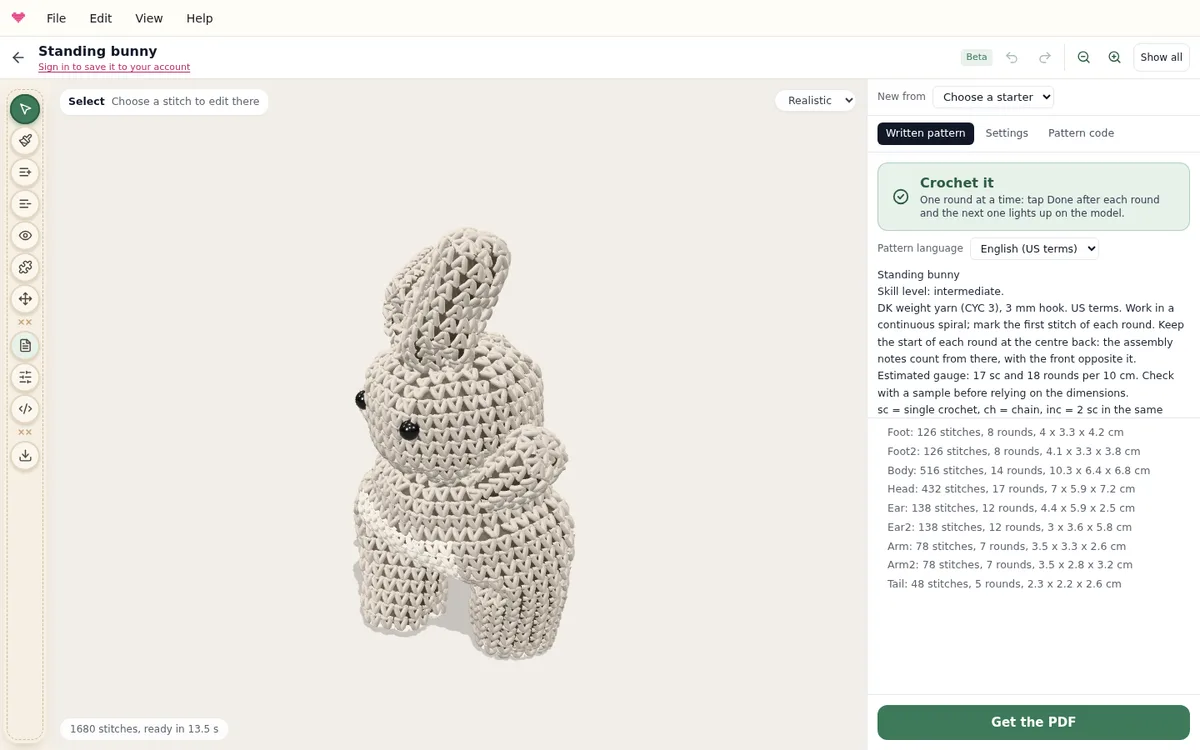
Amigurumi: design it, read the pattern, crochet it
A picture walkthrough of the 3D amigurumi designer: starters, the tools, settings, the written pattern and Crochet it, round by round.
See the walkthrough step by step →Try it yourself
Make a pattern from a photo or start from scratch. Free to use in your browser, nothing to install.
Open the editor