
Creating Patterns
Amigurumi designer: tools, written pattern and saving
Find your way around the amigurumi designer: start from an animal, edit it with the tools, read the written pattern, crochet it round by round and save it.
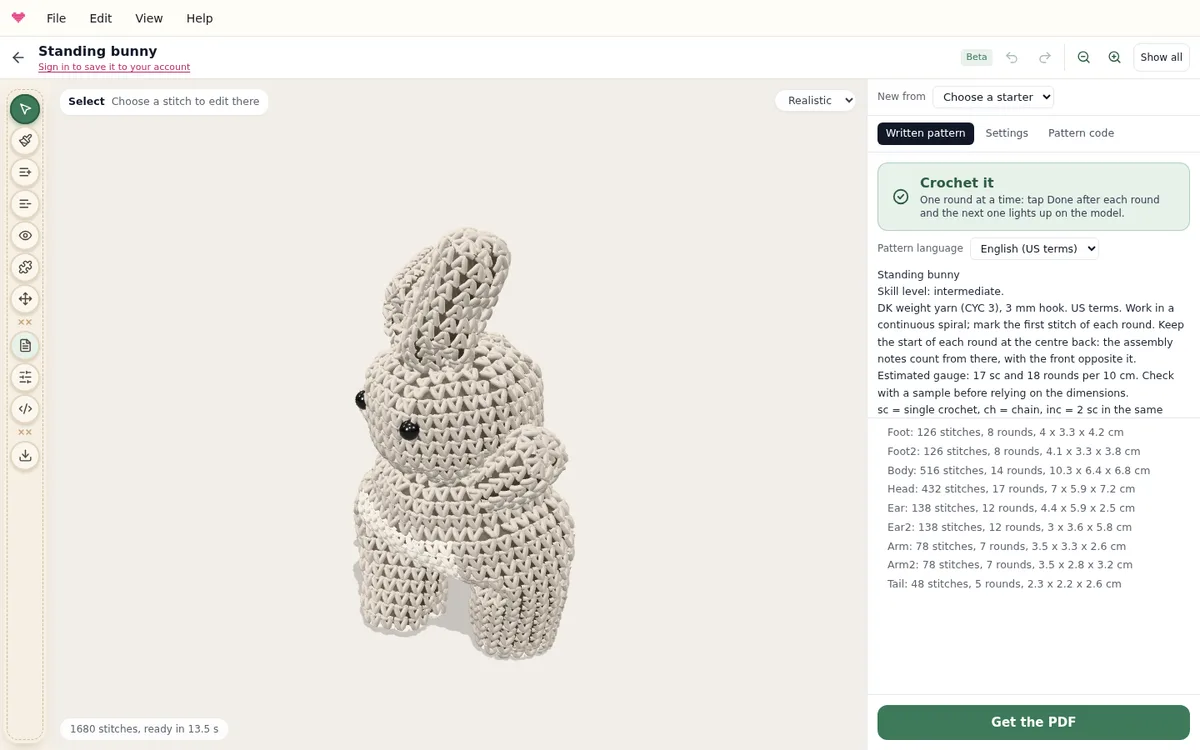
The amigurumi designer builds your toy the way you will crochet it, one stitch at a time, and writes the round-by-round pattern for it. This guide shows where everything is. For a tour with more animals, read how to design your own amigurumi.
Start from an animal
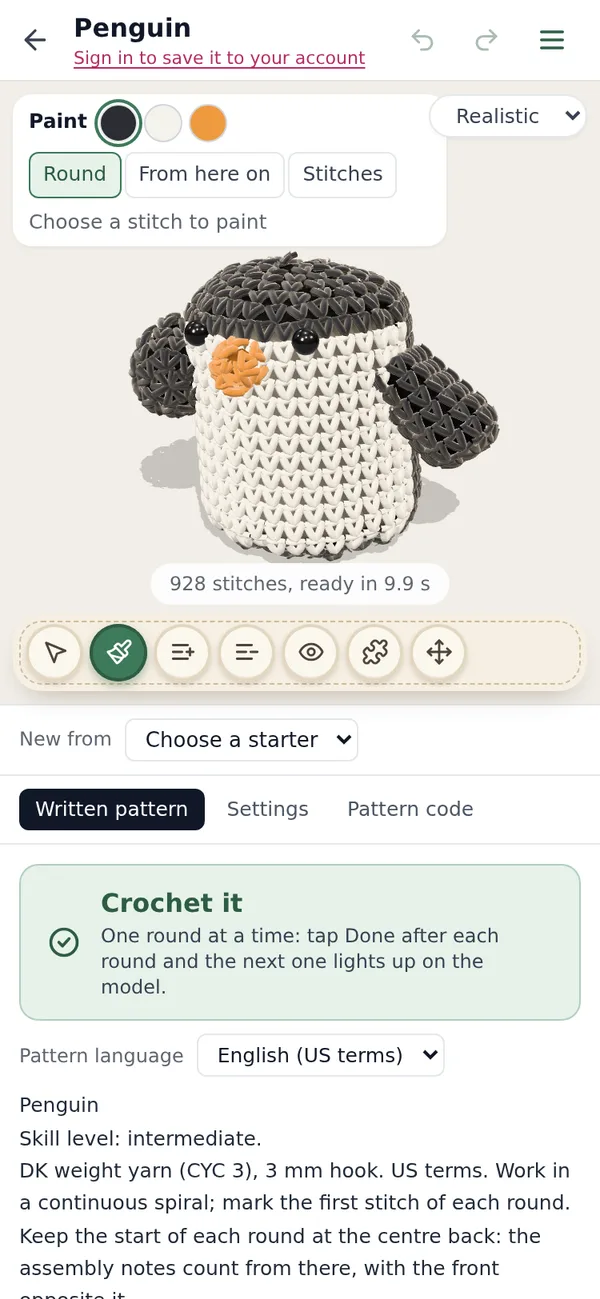
Open the designer and pick a starter under New from: a teddy car, a teddy bear, a standing bunny, a penguin, a frog, an octopus, a long cat, a little car, a cottage or a donut. The toy appears in 3D after a few seconds, with the number of stitches under it.
Drag the background to turn the toy, and scroll or pinch to zoom. Show all (or the Home key) brings the whole toy back into view. The view menu at the top right switches between Realistic, Smooth and Sketch.
The tools
The tools sit in the rail on the left, like in our other editors. Pick one, then click a stitch on the toy: a pink pin marks the spot, and the tool does its job there.
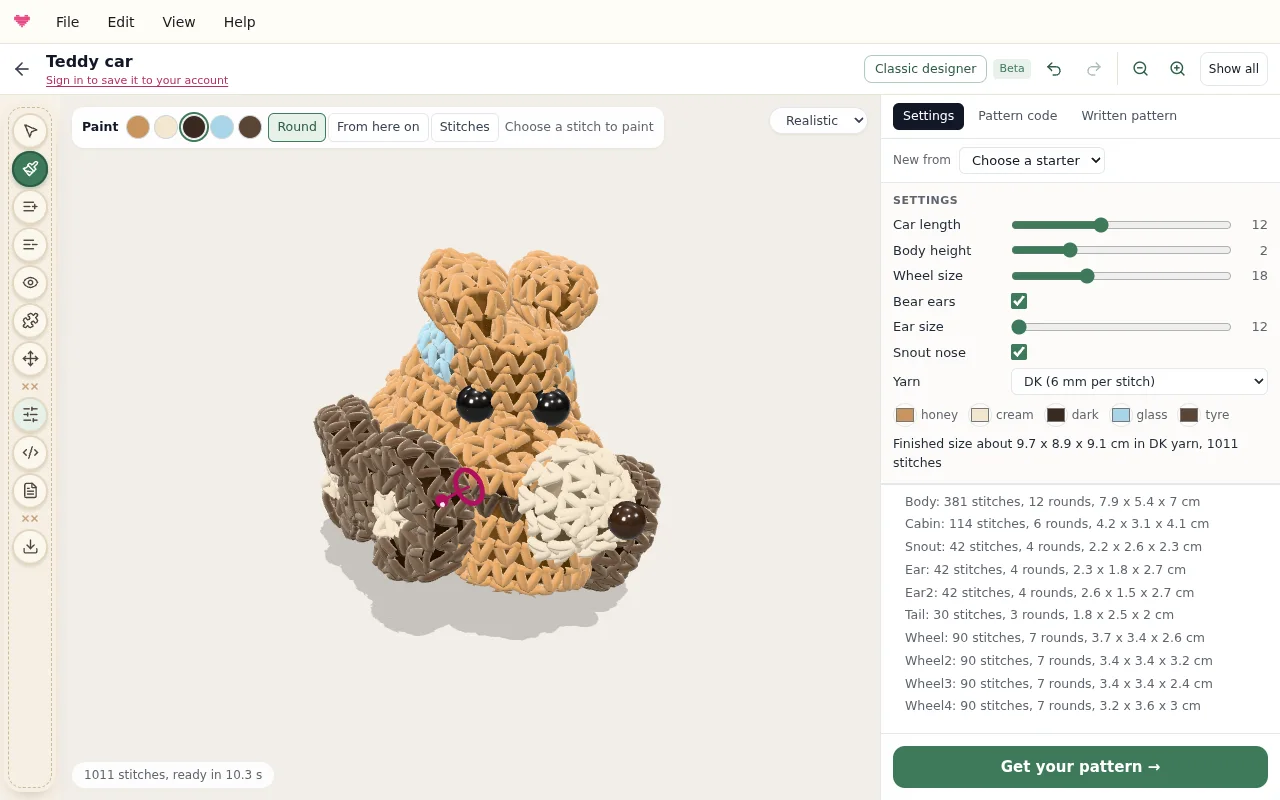
| Tool | Key | A click on a stitch |
|---|---|---|
| Select | V | opens a panel for that spot: add or remove a round, colour it, back or front loops, an eye, a piece |
| Paint | B | colours the round, everything from there on, or a few stitches |
| Add a round | A | adds a round after the one you click |
| Remove a round | X | takes that round away |
| Safety eye | E | puts an eye there, in the size you choose |
| Add a piece | P | sews on an ear, arm, leg, tail, snout, wheel, wing, horn or ball |
| Move a piece | M | picks up a piece; the next click says where it goes |
Every click is an edit of the pattern, so Undo (Ctrl/Cmd+Z) and Redo (Ctrl/Cmd+Shift+Z) always work and the written pattern always matches the toy.
The panel: written pattern, settings and code
The panel on the right has three tabs.
- Written pattern opens first: the pattern you will crochet from, piece by piece, with stitch counts, colour changes, where the eyes go and how to sew everything together.
- Settings holds the sliders the starter comes with (the bunny’s ear length, the car’s wheels), a colour picker for each yarn and the yarn weight. The finished size in centimetres is written under them.
- Pattern code is the design itself, in ordinary crochet notation. Change it and press Update; build your own shapes explains how.
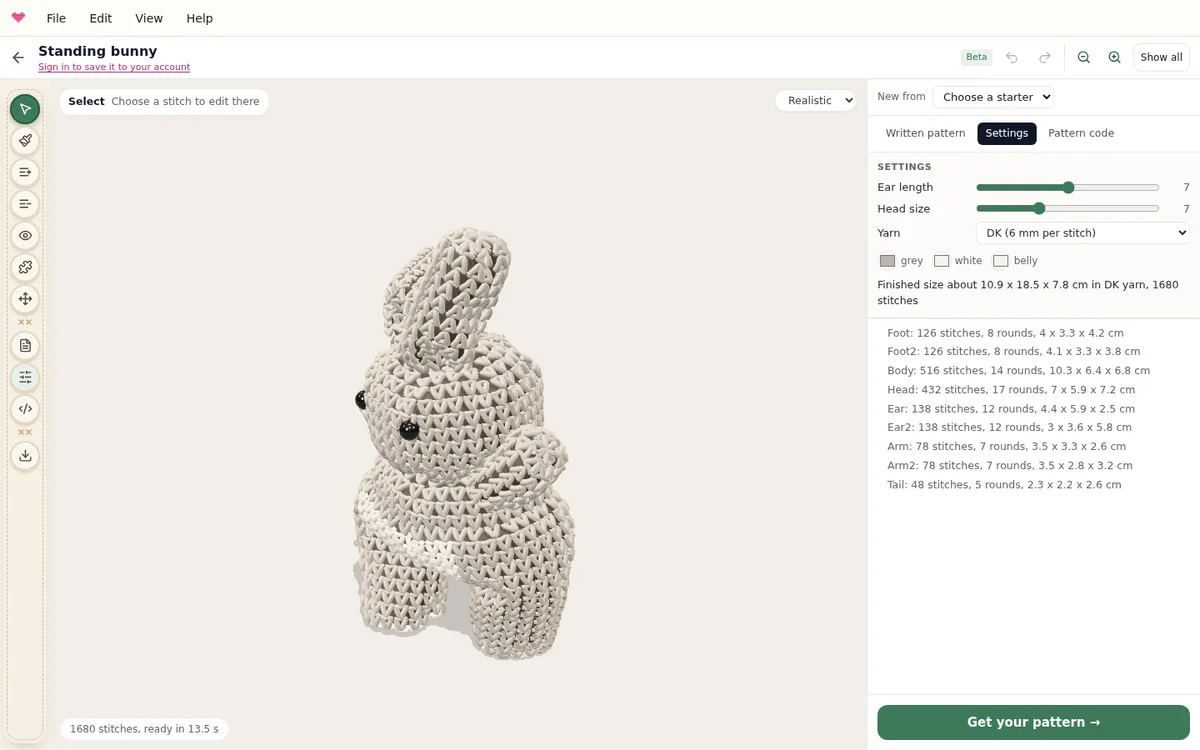
Under the tabs, a list shows every piece with its stitches, rounds and size, and any line of code whose counts do not add up.
Read the pattern and get the PDF
Choose the Pattern language above the pattern: 17 languages, with US or UK terms in English. Get the PDF downloads it with pictures of the toy from every side. Your first full pattern is free; after that, patterns unlock one at a time or with Pro.
Crochet it, round by round
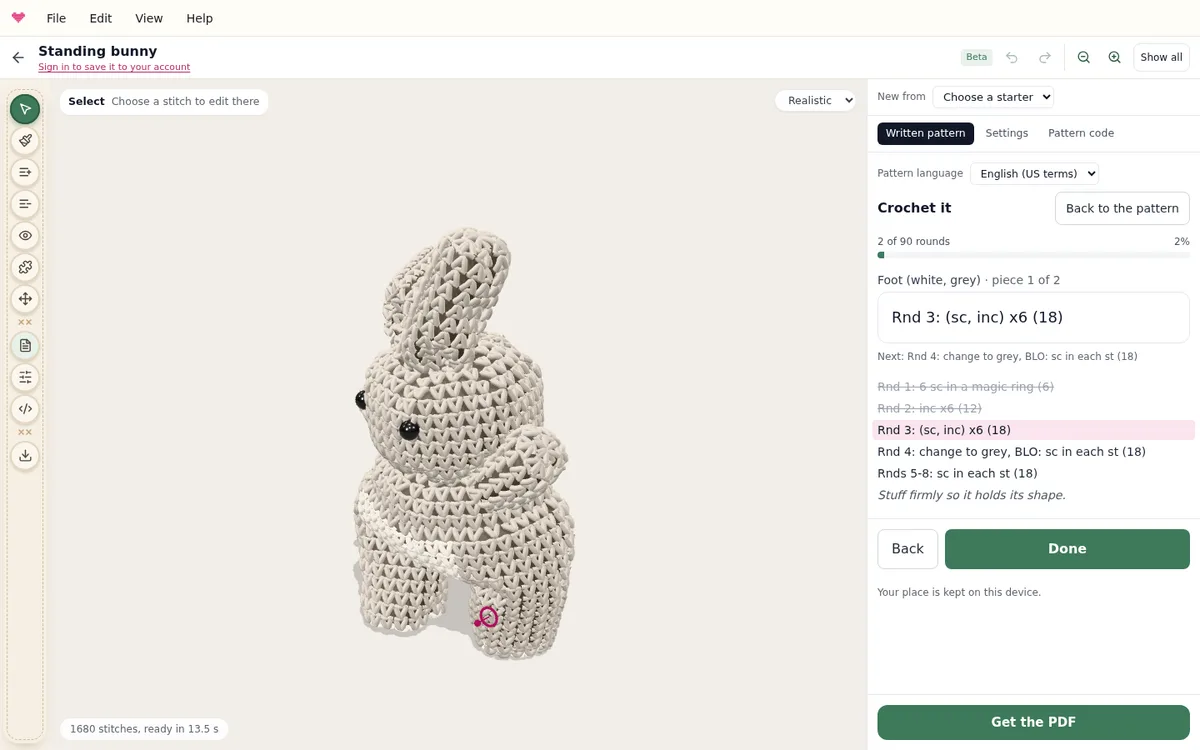
Press Crochet it at the top of the written pattern. It shows one round at a time, large, with the piece it belongs to and what comes next, and lights up that round on the toy. Tap Done after each round. Your place is kept on this device, so you can close the page and carry on later.
Save it, and work on a phone
Designs are kept on this device while you play. Sign in and the design saves to your account, shows up on your dashboard and opens on any device; the line under the title says where it is saved.
On a phone the toy stays at the top of the screen, the tools sit in a strip under it, and the panel scrolls below. The menu button at the top right has File, Edit, View and Help.
Keyboard shortcuts
| Shortcut | Action |
|---|---|
| V, B, A, X, E, P, M | Choose a tool |
| Ctrl/Cmd+Z | Undo |
| Ctrl/Cmd+Shift+Z or Ctrl/Cmd+Y | Redo |
| Home | Show the whole toy |
| + and - | Zoom in and out |
| Escape | Close the panel for a stitch |
Shortcuts do nothing while you type in a text field, so the pattern code edits normally.
Start designing, crochet the free bear, bunny or cat, or go back to the amigurumi pattern generator.
Frequently asked questions
Can I colour single stitches?
Yes. Choose Paint, then Stitches, set how many stitches at a time and click where they go. Round colours one whole round, From here on everything after it.
Does the 3D preview match the finished toy?
Closely. The designer makes every stitch of the pattern and lets the yarn, the stuffing and gravity settle the shape, so the size follows the counts you will crochet. Your tension, yarn and stuffing still change the result a little.
What happened to my designs from the earlier designer?
They open in this designer, converted to the same pieces and stitch counts. A design in your account keeps the earlier version with it.
Try it yourself
The Knytstudio editor is free to use in your browser. No install, no signup needed to start.
Open the editor